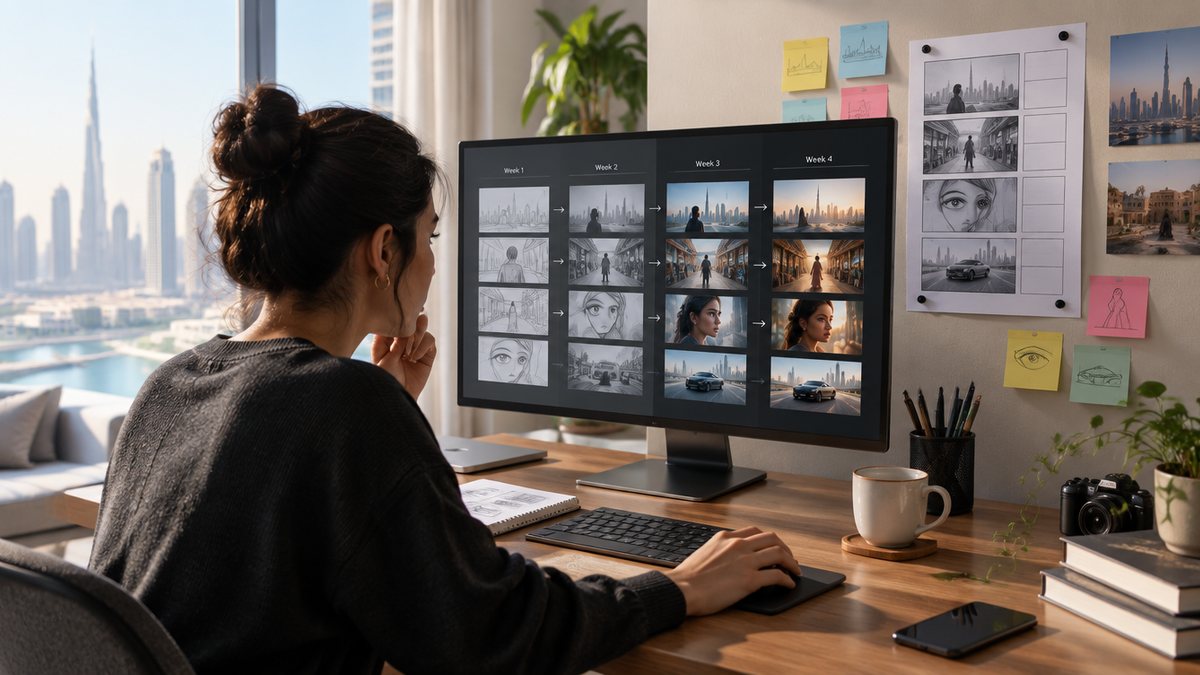
You learn AI video production from zero in four stages over 30 days: a week on prompting and still images, a week on one consistent character, a week on motion, camera and a shotlist, and a final week on sound, editing and a finished 30 to 60 second video. Budget about 90 minutes a day and one paid month on a platform such as Higgsfield. The finished piece is the goal; everything else is practice for it.
Before day one: the two decisions that set the month
Pick one platform and one first project before you generate anything; those two decisions decide whether the month ends with a video or a folder of clips. The platform decides what you can practise, the project decides what you practise on, and both are cheap to make and expensive to keep changing.
For the platform, a beginner is better off on a multi-model workspace than on one model. Higgsfield hosts Kling 3.0, Kling o1, Kling 2.6, Seedance 2.0, Wan 2.7, Sora 2 and Veo 3.1 behind one login (source: Higgsfield), so you can run the same prompt on two models and see the difference, which is the fastest way to learn what each is for. Plans start at USD 19 a month for 270 credits, and the free tier has no credits for real work (source: TechSifted).
For the project, choose one product or one character, one location, 30 seconds, ten shots. Constraints make the first piece finishable. If you cannot decide, make a 30 second ad for a drink you like: a presenter line, a product turntable, a location shot. Those three shots cover the three skills the month teaches.
Week 1, days 1 to 7: vocabulary, prompting and stills
Spend the first week on still images only; every skill in AI video is easier to learn on a frame that costs a fraction of a clip. Before touching a prompt, watch three Higgsfield Academy courses: How to evaluate AI filmmaking demos, Blockbuster 4K: The AI Filmmaking Pipeline and Build a Brand's Visuals with AI (source: Higgsfield Academy).
Then learn the two routes. Text-to-video generates a clip from a written prompt alone; image-to-video starts from an approved still and adds motion, which is what professional work leans on because it locks the look before movement is paid for. Week one is about producing that approved still. Generate one subject ten ways a day: change one variable per generation, lighting, lens, distance, time of day, and write down what changed.
By day seven you should be able to read a prompt and predict roughly what comes back. That prediction is the whole skill. A prompt is a description of a photograph that does not exist yet: subject, setting, light, lens, mood, in that order, in plain words. Save the ten best stills; two of them become week two's character reference.
Week 2, days 8 to 14: one character, ten shots
Week two is one character or product kept identical across ten images, because consistency is the skill clients pay for and beginners skip. Every model has a reference mechanism: Kling Elements take two to four images (source: Kling), Veo 3.1 up to three (source: Google), Runway Gen-4 one (source: Runway), Seedance 2.5 up to 30 (source: ByteDance Seed).
Design the character on day eight and lock it: a front-facing still, a three-quarter still and one full-length, same wardrobe, same hair, neutral light. Save them as your reference set. From day nine, produce ten stills of that character in different settings, framings and lighting, using the reference each time. The test is brutal and simple: put the ten side by side and discard any where the face, hands or wardrobe drifted.
If you chose a product rather than a person, the same rules apply, and hands are the enemy: generate the product alone, on surfaces, in environments, before you ever generate a hand holding it. By day fourteen you have a character sheet and ten approved stills. That is the raw material for the video.
Week 3, days 15 to 21: motion, camera and the shotlist
Week three turns approved stills into moving shots and teaches you to ask for camera movement by name. Start every shot from a week-two still with image-to-video, so motion is the only new variable, and learn five moves first: push in, pull out, pan, tilt and orbit. Higgsfield offers them as named presets you select rather than describe (source: Higgsfield).
The other tools differ: Runway expects the choreography written into the prompt (source: Runway), and Kling sets shot size and movement per segment in a storyboard (source: Kling).
On day seventeen write the shotlist for the final piece: ten shots, each with a duration, a camera move, the reference still it starts from and what the viewer should feel. Clip lengths set your building blocks: Veo 3.1 gives 4, 6 or 8 seconds, Runway Gen-4.5 2 to 10, Kling 3.0 3 to 15, Seedance 2.5 up to 30 in one pass (source: Google; source: Runway; source: Kling; source: ByteDance Seed). A 30 second piece is therefore five to eight generations, not one.
Generate every shot at least twice and keep the better take. Credits are where the month's money goes: Kling 3.0 at 1080p with native audio is 12 credits per second, and 8 without audio (source: Kling); Runway Gen-4.5 is 12 credits per second (source: Runway); a Veo 3.1 Quality generation in Flow is 100 credits (source: Google Flow). A ten-shot list generated twice is your credit budget for the week. By day 21 you have every shot on disk.
Week 4, days 22 to 30: sound, edit and the finished piece
The last nine days turn the shots into a video, a different job from generating them. Sound first: Kling 3.0, Veo 3.1 and Seedance 2.x generate dialogue and sound with the picture (source: Kling; source: Google; source: ByteDance Seed), so decide per shot whether native audio, a recorded voice or music carries it.
Cut on days 24 to 27 in whatever editor you have, CapCut or DaVinci Resolve are free and enough. Lay the shots on the timeline in shotlist order, trim each to its best second, put the strongest shot first, and hold the whole thing to 30 to 60 seconds. Then grade for a consistent look, add captions for silent viewing, and export vertical and square as well as widescreen.
Publish it on day 30. The finished piece is the deliverable, the portfolio and the proof, and it is worth more to an employer or client than any course certificate. Then write down what broke: the shots that drifted, the prompts that failed, the credits that went nowhere. That list is the syllabus for your second month.
What the roadmap costs, and what it is not
One month on a platform, the credits above, and about 40 hours. In money: USD 19 to 59 for the subscription and one or two top-ups at 18 credits per dollar (source: TechSifted), depending on how many retakes you allow. The learning material is free; Higgsfield Academy's 16 courses total under six hours (source: Higgsfield Academy).
What the roadmap is not is a substitute for feedback. Every beginner loses at least one evening to a prompt that keeps producing the wrong thing with no one to say why. NotBoring's in-person AI Video Production Workshop in Dubai runs the same four stages as 13 topics over 12 hours, with a Higgsfield account included and a finished 30 to 60 second video as the final project (source: NotBoring). The roadmap is the self-taught version; the workshop is the same month compressed into a room.